






Your AI assistant. Your Jira testing. Connected.

Know what to test — right from your AI assistant

Vansah MCP connects Claude, ChatGPT and other MCP-compatible assistants to Vansah Test Management for Jira. Find, create and review tests in plain language — within the permissions you already have.

Already using Vansah?Connect your AI Assistant
New to Vansah? Start here. Install Vansah free in Jira from the Atlassian Marketplace, then connect your AI assistant.

Built For Your Team

Available now

Claude

Find Vansah in the Claude Directory, add it and sign in with your Atlassian account.

Add now Vansah in the Claude Directory (opens in a new tab)

Available now

ChatGPT

Find Vansah in ChatGPT plugins, add it and sign in with your Atlassian account.

Add now Vansah in ChatGPT (opens in a new tab)

More integrations

More AI assistants

Use Vansah MCP with any MCP-compatible AI assistant. Follow our step-by-step guide to connect and sign in with your Atlassian account.

View setup guide Connecting to Vansah MCP (opens in a new tab)

The same Vansah MCP, sized to how you test. Whether you’re a handful of testers or a global QA function, Vansah MCP fits the way your team works.

More testing done, without more admin

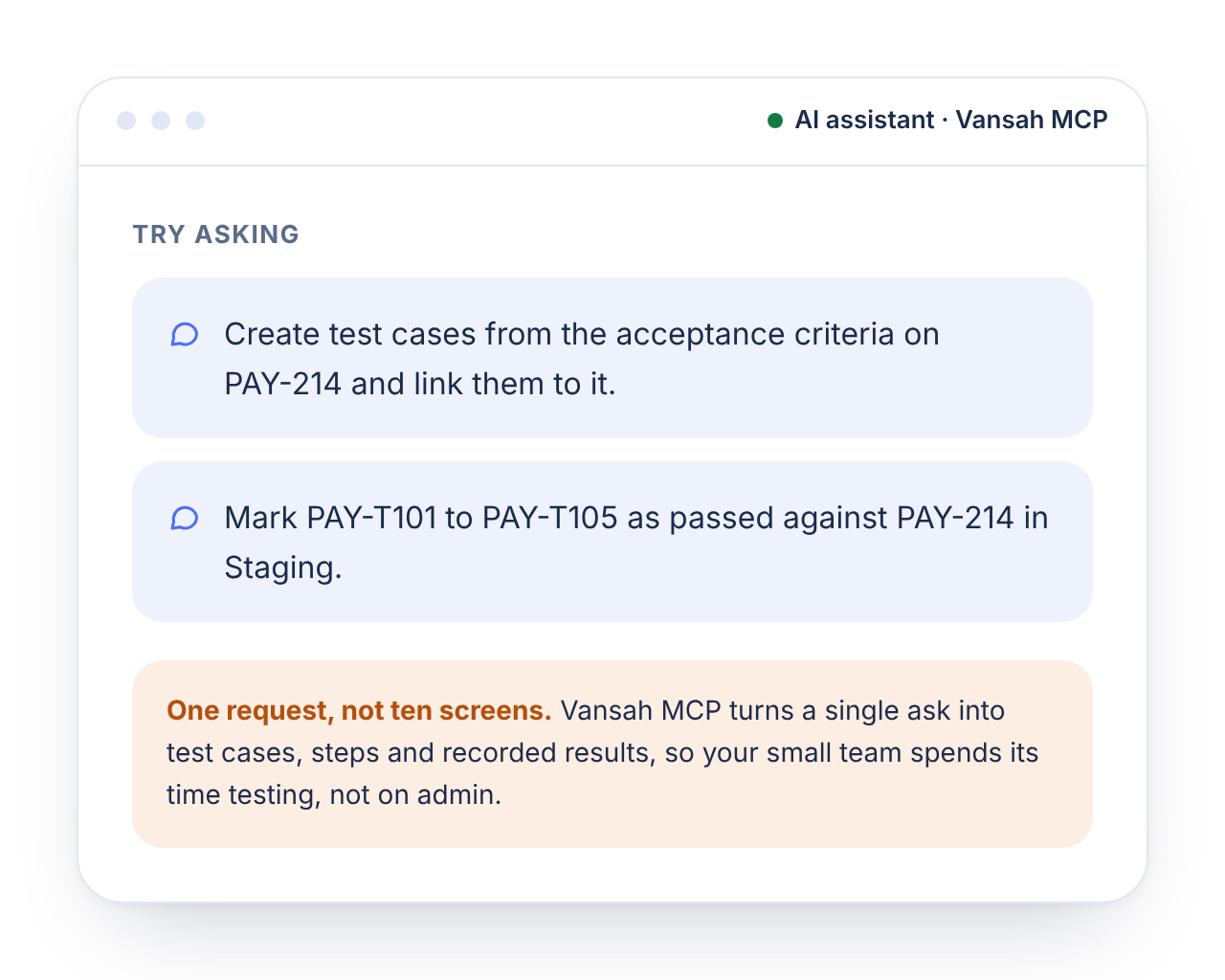
— For Small & Medium Teams. Let your AI assistant handle the busywork

When the same few people write the tests, run them and report on them, every screen you skip matters.

Turn user stories and acceptance criteria into test cases with steps
Record results against a Jira work item in one request
Set up in minutes with Claude or ChatGPT — no API tokens

Title card illustration

One view of quality across every squad

— For Large teams. Ask across projects, releases and sprints

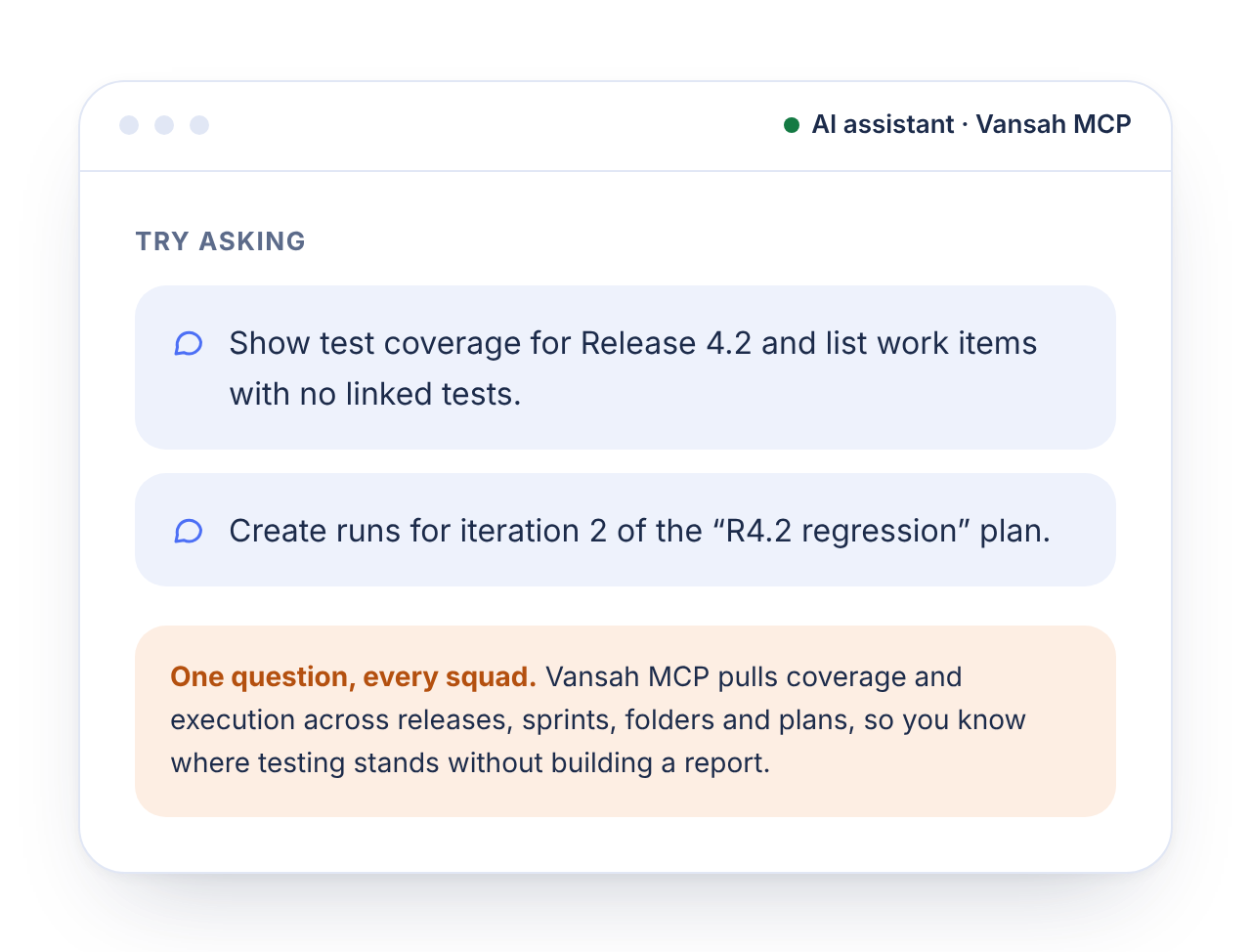
With many squads, projects and releases, the hard part is knowing where testing stands. Get an answer built on your Vansah results.

Review coverage and execution by release, sprint, folder or plan
Build advanced test plans with iterations for regression cycles
Find failed tests, testing gaps and the Jira work items they affect

AI testing trends illustration

AI-assisted testing your governance team can sign off

— For Enterprise Teams. No new access path to manage

Vansah MCP acts as each user, through their own Atlassian account, so AI follows the same rules as your people.

  • Atlassian OAuth 2.0 sign-in — no passwords or API tokens shared with AI
  • Never goes beyond a user’s existing Jira and Vansah permissions
  • Traceability from requirement to test, execution and defect
Testing title card illustration

Your Data. Your Region. Your Control.

— Enterprise-ready data residency for AI-powered testing

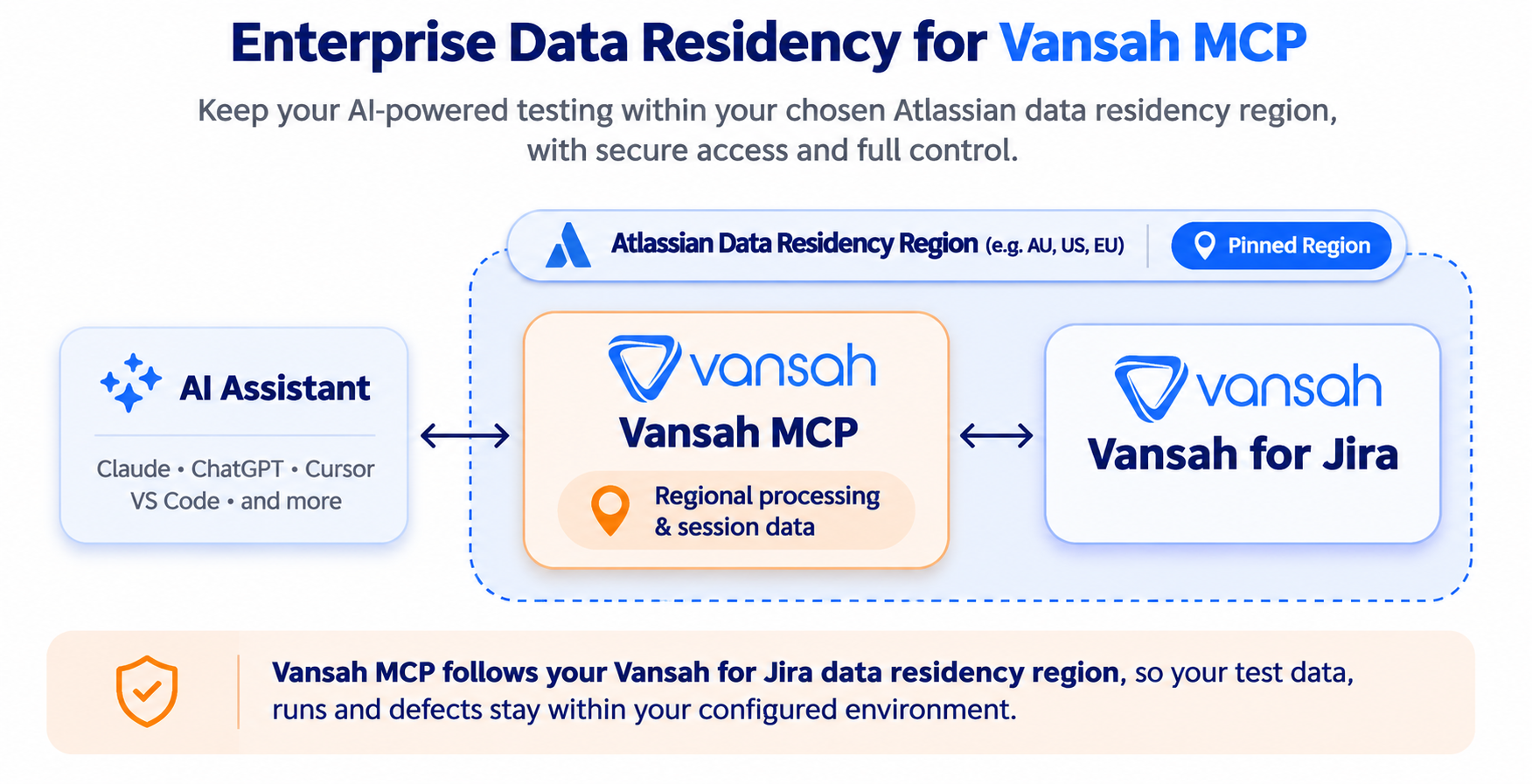
Vansah MCP aligns with your existing Vansah for Jira data residency region, keeping regional MCP processing and associated session data within your configured environment.

Connect AI assistants to your testing workspace through secure OAuth 2.0 authentication, with regional controls designed to support enterprise security and data governance requirements.

Test management dashboard overview

AI-assisted testing. With Control.

Security and Control

vansah-mcp-icon-atlassian-sign-in-dark-bg | Vansah Test Management For Jira

Atlassian sign-in

OAuth 2.0 through your Atlassian account. Credentials never go to the AI.

vansah-mcp-icon-permissions-only-dark-bg | Vansah Test Management For Jira

Your permissions only

Only the workspaces, projects and test data you can already access.

vansah-mcp-icon-changes-on-request-dark-bg | Vansah Test Management For Jira

Changes on request

Reviewing never changes data. Creates and updates happen only when you ask.

vansah-mcp-icon-traced-to-jira-dark-bg | Vansah Test Management For Jira

Traced to Jira

Tests, runs and defects stay linked to the work items they cover.

Rated 4.9/5 On The Atlassian Marketplace

Enterprise testing intelligence, powered by AI

DR
  • star-icon
  • star-icon
  • star-icon
  • star-icon

User friendly features

Enables teams to interact with Vansah’s testing data using natural language directly inside the Atlassian ecosystem.

Deepika Raj
AK
  • star-icon
  • star-icon
  • star-icon
  • star-icon

Precise insights

We have been using Vansah Test Management for JIRA for one of the flag-ship fintech company here in Australia. The solution stands out by enabling our team to manage end-to-end test management, execution, and tracking effortlessly within Jira

Abhijeet Kulkarni
Client review
  • star-icon
  • star-icon
  • star-icon
  • star-icon

Highly recommended!

Vansah is an effective test management tool, helped our team to plan, track and test with real-time live reporting & supporting quality testing deliverables across new releases.

Srikanth Nannapaneni

Frequently Asked Questions

Find the answers you need right here

What is Vansah MCP?

A hosted Model Context Protocol server that connects your AI assistant to Vansah Test Management for Jira, so you can find, create, update and analyse testing work through natural-language conversations.

How is it different from Vansah Agent for Rovo?

Vansah Agent for Rovo works inside Atlassian Rovo. Vansah MCP brings Vansah to the AI assistant your team already uses outside Jira.

Which AI assistants can I use Vansah MCP with?

Yes. Vansah MCP is now available in both the Claude Directory and ChatGPT Plugin Marketplace. Simply find Vansah, add it to your AI assistant, and sign in using your Atlassian account.

For other AI assistants, contact us to learn more about integration options.

Do I need to share a password or API token?

No. You sign in with your Atlassian account through OAuth 2.0 and approve access. Your assistant never sees your password or a token.

Can the AI change my test data?

Only when you ask, and only within your existing Jira and Vansah permissions. Review tools never change data. For larger changes, review what your assistant proposes before you approve it.

Where is Vansah MCP hosted, and does it support data residency?

Yes. Vansah MCP runs on regional infrastructure aligned with Vansah’s supported data residency regions. Requests are routed to the regional Vansah backend for your environment, and long-lived MCP sessions and credentials stay within that region.

Does connecting an AI assistant affect data sovereignty?

It can. Vansah MCP keeps its own processing within your region, but the results of each request are returned to your AI assistant, where the AI provider may process or store them under its own policies and terms. Review your AI provider’s data handling policies before connecting sensitive or regulated data.

Where can I find security and compliance documentation?

Security, data residency and integration documentation for Vansah MCP will be published in the Vansah MCP Help Centre. For specific security or compliance questions, contact Vansah Support.